
Scan the barcodes below in order from steps 1 through 4.
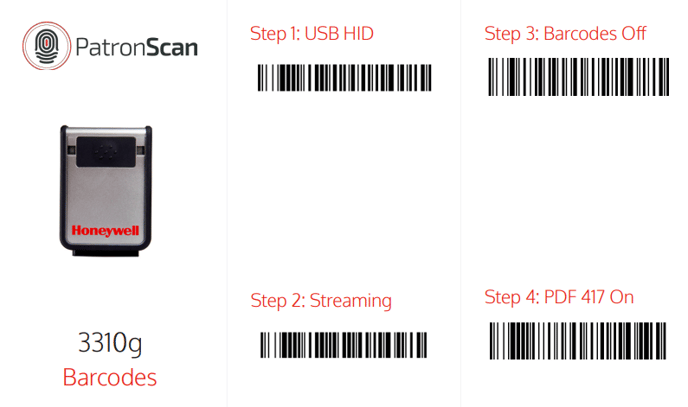
Once the reset is complete restart the Patronscan App and do a test scan.
If the issue persists please reach out to Patronscan Tech Supports 24/7 Phone support or email us at Support@patronscan.com.