
🛠️ Operating Instructions
Scanning an ID
-
Insert the ID Card:
-
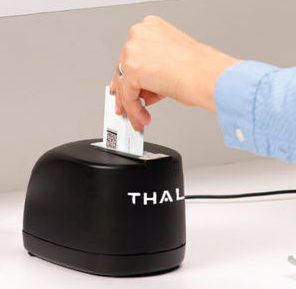
Place the ID card into the CR5400 slot. The orientation doesn't matter.
-
-
Automatic Scanning:
-
The CR5400 will simultaneously scan both sides of the ID using UV, infrared, and visible light.
- Lights on the Device:
- Blue = Ready to Scan
- Blinking Orange = Scan is Processing
3. Data Processing - The scanned data is sent to the Patronscan system for verification.
-
4. Card Ejection:
-
Once processing is complete, the card will automatically eject.
-
Verifying ID Information
-
Patronscan Dashboard:
-
The homescreen will display the patron's information, including name, age, and photo.
-
-
Flagging Patrons:
-
If the ID is flagged (e.g., expired, fake, or previously banned), Patronscan will alert you.
-